
|
|
||||||||||
Can't Reach a Website? Try These Solutions
Keywords:
website, browser, firewall, software, security
Key Takeaway:
If your internet is working and you can't get
to a single website, you could try the
following basic troubleshooting items.
Category Insights:
INTERNET — This article contains internet related content.
Simple things first:
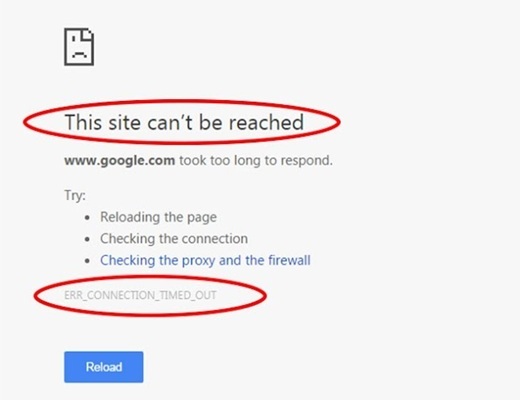
If your internet is working and you can't get to a single website, you could try the
following basic troubleshooting items. Any one of these could be the issue. Use process of
elimination. Each of these items has it's own set of instructions. Contact MCC if you need
assistance.
- REMEMBER: The website your trying to reach could be down or having a
problem. This situation would be completely out of your control. If your having trouble
with more than one website; continue with the solutions below.
- Try the website you are trying to reach by using a different browser. These would
include, Chrome, Edge, Firefox, Brave, DuckDuckGo, Opera etc...
- Try the website you are trying to reach from a different computer.
- Clear your web browser cache and test. The steps to do this will vary depending on the
browser that you are using.
- Reset your web browser to defaults and test. The steps to do this will vary depending on
the browser that you are using.
- Temporarily turn off your security software and test. This would be your Norton, McAfee,
BitDefender, ESET etc... The steps to do this will depend on what security software you
are using.
- Temporarily turn off your firewall and test. This could be the rules within your Windows
firewall, security software firewall or a hardware firewall. The steps to fo this will
depend on what you have setup as a firewall at your location.
- Temporarily turn off your VPN if your using one and test. These would include NordVPN,
ExpressVPN, NortonVPN. McAfeeVPN, BitDefenderVPN etc... Each of these would have its own
set of instructions.
More advanced solutions:
- Delete your DNS Cache.
Click START and find COMMAND PROMPT and open it. Then type:
ipconfig /flushdns
- Try a different DNS provider and test. Your current provider could be having a problem
or filtering out websites.
DNS is a very common source of problems.
Reference Blog Post #39 for additional information and list of free alternate DNS service providers.
- Use the PING and TRACERT commands to see if you have a path to the website. These are
command line utilities and beyond the scope of this article. Both PING and TRACERT could
be blocked by the webserver so this test may be inconclusive.
- Try turning off or disabling IPv6 on your router and computers. Most software doesn’t
support IP6. It was created several years ago but few people actually use it. It can be
safely disabled. This is beyond the scope of this article.
- Your hosts file may contain blocks for certain websites. (uncommon on home
computers) This is highly unlikely and a more advanced item to check.
| Reference |
|---|
| #0039 Internet Speed Up Your Internet With an Alternative DNS Server |
Frequently Asked Questions
Why can I access some websites but not others?
The website itself may be experiencing technical problems, or the issue could be related to
your browser, DNS provider, security software, firewall, or internet connection.
How do I know if a website is down?
Try accessing the website from another device, browser, or internet connection. If multiple
people cannot reach the site, the problem may be with the website itself.
What does clearing my browser cache do?
Clearing the browser cache removes stored website files that may be outdated or corrupted.
This often resolves problems loading specific websites.
What is DNS and why does it affect website access?
DNS translates website names into IP addresses that computers can understand. If your DNS
provider is having problems, websites may fail to load even when your internet connection is
working.
What does the command "ipconfig /flushdns" do?
This command clears the local DNS cache on a Windows computer, forcing Windows to obtain
fresh DNS information the next time you visit a website.
Can antivirus or security software block websites?
Yes. Security software sometimes blocks websites that it considers suspicious, unsafe, or
incorrectly categorized. Temporarily disabling the protection can help identify whether it
is the source of the problem.
Can a VPN prevent access to certain websites?
Yes. Some websites block VPN traffic, while others may not function properly when accessed
from certain geographic regions or VPN providers.
What are PING and TRACERT used for?
PING and TRACERT are network troubleshooting tools that help determine whether a website can
be reached and identify where communication problems may be occurring.
Should I change my DNS provider?
If your current DNS service is unreliable or blocking websites incorrectly, switching to a
reputable alternative DNS provider can sometimes resolve connectivity issues and improve
performance.