
|
|
||||||||||
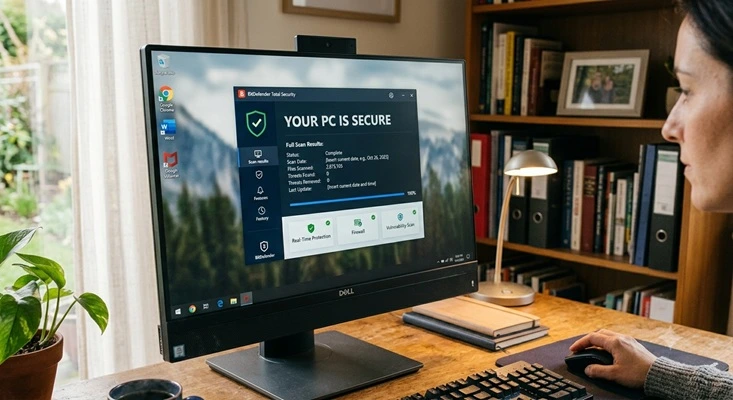
My Thoughts on Antivirus Software
There are better options available
Keywords:
programs, antivirus, pop-ups, windows, protection
Key Takeaway:
Antivirus software still plays an important
role—but it should never be viewed as a complete solution.
Category Insights:
OPINION — This article reflects personal experience and perspective on the
topic.
SECURITY — Security best practices include strong passwords, MFA, and regular
patching.
Evolving Threats
The cybersecurity landscape is constantly shifting. What used to be relatively
simple, nuisance-level viruses has evolved into a sophisticated ecosystem of threats
designed to steal data, disrupt operations, and generate profit for attackers. Early malware
might have slowed down a computer or displayed annoying pop-ups, but today’s
threats—especially ransomware—can bring entire businesses to a standstill in a matter of
minutes.
Modern attackers don’t rely on just one method. They actively scan for weaknesses in
operating systems, applications, and network devices, targeting systems that haven’t been
properly patched or maintained. A single unpatched vulnerability can provide an entry point
for malware, data breaches, or full system compromise. This is why keeping systems updated
is no longer optional—it’s a critical part of basic security hygiene.
However, even the most up-to-date and well-protected systems have one unavoidable weak
point: human behavior. Social engineering attacks continue to be one of the most effective
tactics used by cybercriminals. Whether it’s a convincing phishing email, a fraudulent phone
call, or a fake login page, attackers often succeed not by breaking through defenses, but by
persuading users to hand over sensitive information such as passwords or financial details.
No antivirus solution can fully prevent this type of attack on its own.
This is where user awareness becomes just as important as technology. Training users to
recognize suspicious activity, verify unexpected requests, and think critically before
clicking links or sharing information can significantly reduce risk. A well-informed user
can often stop an attack before it even begins.
That said, antivirus software still plays an important role—but it should
never be viewed as a complete solution. Modern antivirus tools can detect
and block known threats, analyze suspicious behavior, and provide a critical line of defense
at the endpoint. However, they are just one piece of a much larger puzzle.
A strong security strategy relies on a layered approach. This includes properly configured
firewalls to control network traffic, web filtering to block malicious or inappropriate
sites, DNS protection to prevent connections to known harmful domains, regularly updated
antivirus/endpoint protection, and ongoing user education. Each layer adds another barrier,
making it more difficult for attackers to succeed. Reference Blog Post #98 (see the link
below) regarding what should be included in a layered approach.
In today’s threat environment, security is not about relying on a single tool—it’s about
building a comprehensive defense strategy where technology and user awareness work
together.
These are the Popular Choices, but...
These are the antivirus programs that I DO NOT recommend. Let me be
clear —- these programs WILL provide solid protection. However, many of the well-known
antivirus brands have become overly bloated. They're trying to offer additional (more
expensive) versions of their software, with extra features that you don’t actually need.
These extra features have the negative side effect of slowing down your computer because
they consume extra system resources. On the other hand, if you go for the cheapest
option, you’ll be bombarded with pop-ups nagging you to buy even more of these unnecessary
features. If you have an older computer, these antivirus programs can make it even
slower.
These anti-virus programs aren't terrible, but I would not recommend them for performance
reasons. If you have a subscription, simply let it run out and then switch to one of my
choices recommended below.
- Norton (Not as good since being acquired by LifeLock (system hog, lots of pop-ups)
- McAfee (system hog, lots of pop-ups)
- AVG (both the free and paid versions, system hog, lots of pop-ups)
- Avast! (both the free and paid versions, system hog, lots of pop-ups)
NOTE: Avast was sued by US Government for user privacy violations
There are other antivirus programs like Sophos and ESET, but I haven’t
personally used them enough to form an opinion, so I won’t say much about them. They have a
much smaller market share.
The Upsell...
The average user (probably) won’t use these extra features:
- System optimization tools There are better, free programs that do the same thing.
- Driver updaters Reference Blog Post #40 (see the link below) for a detailed explanation. You may end up harming your system.
- Defragmenters SSDs don’t need defragmenting. If you have a regular hard drive, you can use the built-in tool in Windows.
- VPNs This is a personal choice. In my opinion, most people don’t need a VPN. The https: protocol already provides end to end encryption. However a VPN will hide your IP address if you need that feature.
- Special web browsers Browser programs like the one Norton offers don’t really add anything useful.
- Junk file cleanup tools You can clean up junk files using built-in Windows tools.
All you really need is basic antivirus or antimalware protection.
We Recommend...
If you ask 10 different IT people, you will likely get 10 different answers. However, these are the solutions I recommend to my clients:
- Malwarebytes This works well for older computers. It’s a leaner program that still provides great protection.
- Bitdefender This is a good option for newer computers. It offers better protection, but it requires more system resources.
- Windows Defender This is built into Windows and a good choice and it still works on Windows 10 after its retirement. It’s become much better over the years. - AND IT'S FREE!
| Reference |
|---|
| #0011 Security Should You Use Multiple Antivirus Programs? |
One Last Thing
Whatever antivirus program you end up choosing, do not use multiple antivirus programs at once. Reference Blog Post #11 (see the link below) for a detailed explanation.
Amazon Links - These are products we recommend
Meyer Computer is an Amazon Affiliate. We may earn a small commission from qualifying
purchases made through the links below.
Thank you for supporting us!
- Malwarebytes Standard, Premium Security| 18 Months, 2 Devices | PC/Mac
- Malwarebytes Standard, Premium Security | 1 Year, 5 Devices | PC/Mac
- Malwarebytes Standard, Premium Security | 1 Year, 10 Devices | PC/Mac
- Bitdefender Total Security - 3 Devices | 1 year Subscription | PC/Mac
- Bitdefender Total Security - 5 Devices | 1 year Subscription | PC/Mac
- Bitdefender Total Security - 10 Devices | 1 year Subscription | PC/Mac