
|
|
||||||||||
How to Spot SCAM Emails and Harmful Messages
We show you how to identify and avoid these threats
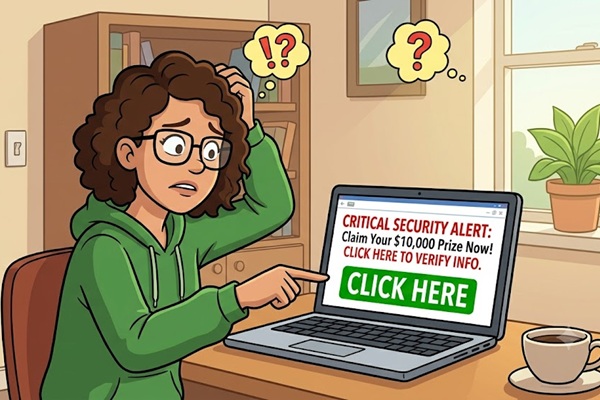
Keywords:
attachments, suspicious, sender, phishing,
scammers
Key Takeaway:
Email is an essential tool for communication,
but it also presents opportunities
for cyber-criminals to exploit unsuspecting users.
Category Insights:
SECURITY — Security best practices include strong passwords, MFA, and regular
patching.
Protect yourself!
Email is a vital tool for communication, but it also presents opportunities for
cyber-criminals to exploit unsuspecting users. Phishing scams, malware in your attachments,
and fraudulent requests for personal information can have serious consequences. Here are
some ways you can protect yourself from scam emails and other harmful messages. Let's
begin.
You're not paranoid if they really are out to get you!
Recognize Common Signs of Scam Emails
Scam emails often exhibit certain red flags. Get into the habit of looking for
any of these tell-tale signs:
- Unfamiliar Senders: If you don’t recognize the sender or business, you
MUST proceed with caution. Who is the sender, and do they really have any reason to
contact you?
- Urgent Language: Scammers try to create a sense of urgency to
make you act quickly. Pressure can be a very effective tactic.
- Suspicious Links and Attachments: Hover over links to see where they
lead before clicking. This is super important and very revealing. Avoid opening any
unexpected attachments. Most email programs will now block executable files; however,
some malware is now being injected into PDF files.
- What country is the email from?: A lot of scam emails come from foreign
countries. Several of these are particularly troublesome top-level domains. China(.cn),
Russia (.ru), India (.in), Pakistan(.pk) etc. If you don't have business in other
countries, it’s probably safe to block them. Some spam software will offer this as a
feature. This method of blocking entire countries is often called
geo-fencing.
- Poor Grammar and Spelling: Many scam emails contain noticeable errors.
Many scam emails will come from foreign countries, and the originator is relying on
translation software and tends to be riddled with errors.
- Requests for Personal Information: Legitimate companies do not
ask for sensitive data via regular email. It's simply too easy to spoof, or
intercept.
- Fake Emails: Scammers will send an invoice for something you didn't
purchase. Maybe a tracking number for a package you never ordered. It could be a message
pretending to be from your bank asking you to click a link to login and verify your
information. There is no limit to the tricks they will try to get at your confidential
information.
Remember: Scammers are always trying to come up with new and unique tactics to
separate you from your personal information or your money.
Use Strong Email Security Measures
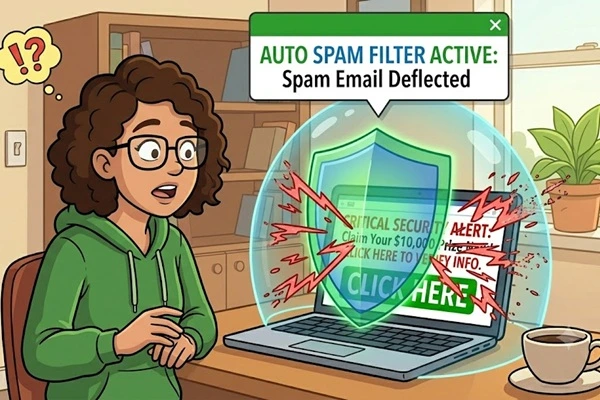
Take proactive steps to secure your inbox:
- Use a Spam Filter: Most email providers automatically filter out the
most obvious suspicious emails. Many times, you can adjust your settings to tighten the
control for a better result. Report as much spam as you can. However, reporting spam can
be time consuming. There is NO perfect spam filter. One person’s junk mail might be
another person’s critical information. You ultimately need to teach the filter what you
want to keep and what you want to blacklist.
- Regularly Update Your Passwords: Use long, complex passwords and avoid
using the same password across multiple accounts. See the links at the bottom of the
page for blog posts regarding passwords.
- Check the Email Domain: Scammers often use addresses that look
similar to legitimate domains but contain slight misspellings. Common tactics is to use
a number 1 in place of the small letter L. Or swapping letter O and number 0.
- Watch the domain extension: When dealing with government entities and
educational institutions, you have a very powerful indicator. The
.govextension is for official government email, .edu
is an accredited school and .mil is military. These are ONLY assigned
to legitimate sites. If the website says something like whitehouse.com, or
whitehousegov.com, would NOT be legitimate. This is a subtle tactic to fool
people into opening the email.
- Enable Two-Factor Authentication (2FA) on websites: This adds an extra
layer of protection. Yes. It's a pain, but it adds another layer of security and makes
it tougher for a scammer to bypass if they do happen to get your password. Not all sites
offer 2FA, but most banking institutions offer it at this time.
Click this link for a free, random password generator. You can use it to create strong passwords for your accounts. Make sure to save them in your password manager as they will be difficult to remember. I recommend using 16 characters, turn OFF symbols and similar characters.
| Reference |
|---|
| #0015 Security New US Government Password Recommendations |
Avoid Clicking Suspicious Links
Before clicking any link:
- Hover Over the Link: Verify the URL before clicking. This is one of the
BEST things you can check. Get in the habit of doing it and you'll be doing yourself a
big favor.
- Manually Enter Website Addresses: If an email asks you to log in, go
directly to the official website instead of clicking the provided link. The link that’s
displayed in the email may say one thing and clicking it may go elsewhere.
- Use Link-Checking Tools: Websites like VirusTotal can help verify if a link is safe.
Be Wary of Unsolicited Attachments
Attachments can contain malware or ransomware. To stay safe:
- Do Not Open Unexpected Attachments: Even if the sender appears
legitimate, confirm with them before opening.
- Fake invoices, receipts and Docusign: A common tactic is for a scammer
to send totally FAKE documents as attachments they usually be a PDF file. Here is your
receipt for: (something you did not purchase). Click this DocuSign attachment to sign:
(something you did not request).
- Scan Attachments with Antivirus Software: Many email providers automatically scan attachments, but you can add an extra layer of security by checking it again.
Verify the Sender’s Identity
If you receive an email requesting sensitive information or urging action:
- Contact the Sender Through Official Channels: Call or visit the
official website to verify the request.
- Look for Spoofed Email Addresses: Scammers may use fake email addresses that look like real ones. This is one of the easiest tactics a scammer can use. They simply send from one address but configure the mail program to display a different address. They may even use your email address. This is why you will sometimes receive an email addressed to you, but it also says it came from you.
Report Scam Emails
If you receive a suspicious email:
- Mark it as Spam: This helps improve whatever spam filtering software
you may be using. Everyone who uses that particular spam filter can benefit.
- Report Spam to Your Email Provider: Services like Gmail and
Outlook have options to report phishing attempts. They develop a massive list of scam
email addresses that can be used to filter out the junk.
- Notify Relevant Authorities: Some countries have cybersecurity
agencies where you can report phishing scams.
Final Thoughts
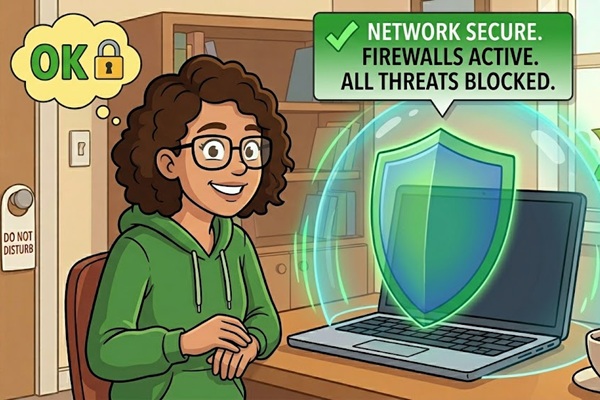
Staying vigilant against scam emails is crucial in today’s digital world. By
recognizing the red flags, securing your email account, and being cautious with links and
attachments, you can significantly reduce the risk of falling victim to email scams. Always
trust your instincts—when in doubt, don’t engage with suspicious emails. If you’re ever in
doubt, call your local computer shop. They tend to be much better at spotting scams than the
average layperson. Use the following link for additional security ideas.
| Reference |
|---|
| #0098 Security Layered Network Protection for Home or Small Business |
Amazon Links - These are products we recommend
Meyer Computer is an Amazon Affiliate. We may earn a small commission from qualifying purchases made through the links below.Thank you for supporting us!
- Malwarebytes Standard, Premium Security| 18 Months, 2 Devices | PC/Mac
- Malwarebytes Standard, Premium Security | 1 Year, 5 Devices | PC/Mac
- Malwarebytes Standard, Premium Security | 1 Year, 10 Devices | PC/Mac
- Bitdefender Total Security - 3 Devices | 1 year Subscription | PC/Mac
- Bitdefender Total Security - 5 Devices | 1 year Subscription | PC/Mac
- Bitdefender Total Security - 10 Devices | 1 year Subscription | PC/Mac