
|
|
||||||||||
What Is Linux? A Beginner's Guide to Linux
Have you ever considered switching away from Windows?
Keywords:
Linux, Linux Mint, Ubuntu, Debian, Linux
distributions
Key Takeaway:
Linux is a free and flexible operating system
that can be used for everyday computing, gaming, programming, and server
administration.
Category Insights:
LINUX — Explore Linux distributions, applications, compatibility, and
alternatives to Windows.
What is Linux?
You've probably heard of Windows, macOS, Android, and ChromeOS. Linux is another operating
system platform built around the Linux kernel. It is free and open source, meaning its
source code is available for people to examine, modify, and distribute under the applicable
licenses.
Unlike Windows, most Linux distributions do not include advertising or unnecessary
preinstalled software. Linux can also run on older computers, depending on the distribution
and hardware. It is an excellent option for people who want a low-cost computer for web
browsing, email, office work, programming, and many other tasks.
Some Linux distributions also provide excellent gaming support, making Linux a more
practical alternative to Windows than it was several years ago.
What Can You Actually Do With Linux?
Linux isn't just for computer enthusiasts and programmers. It can be used for many of the same activities as Windows, including everyday office work, photography, video production, programming, and managing computer networks.
Photo Editing and Digital Photography
Linux offers several applications for photographers and people who enjoy editing pictures.
GIMP is a powerful image editor that can be used for cropping, resizing, retouching, removing backgrounds, working with layers, and creating graphics. It is a popular alternative to Adobe Photoshop for many editing tasks.
Darktable is designed for managing and editing digital photographs, including RAW images. It provides tools for exposure adjustments, color correction, noise reduction, and other photographic adjustments.
Krita is another option, particularly for digital painting, illustrations, and artwork.
Video Editing and Media Production
Linux can also be used for video production. Applications such as Kdenlive and Shotcut provide multitrack editing, transitions, titles, audio adjustments, and video export options.
OBS Studio is useful for recording your desktop, capturing video, and live streaming. It is popular with content creators, educators, and people who produce instructional videos.
Blender provides 3D modeling, animation, rendering, and visual effects tools. It is an excellent example of the professional software available in the Linux ecosystem.
Programming and Software Development
Linux has long been popular with software developers. It provides a complete development environment with access to programming languages, compilers, scripting tools, and development frameworks.
Visual Studio Code is available for Linux and can be used to develop websites, applications, and software projects. Other popular tools include Python, Java, Git, GCC, Node.js, and Docker.
Developers can also use Linux to build and test applications in containers, work with remote servers, and automate repetitive tasks using shell scripts.
| Reference |
|---|
| Reviews Coding Python - Easy to learn scripting language. |
Server Administration and Networking
This is where Linux really shines. Linux is widely used for web hosting, file servers, network services, virtualization, and cloud infrastructure.
For example, Apache and NGINX can be used to host websites. Samba allows Linux computers to share files with Windows systems. Docker can run isolated applications in containers, while Proxmox VE provides a platform for managing virtual machines and containers.
Linux can also be used to configure firewalls, manage network equipment, monitor system resources, and remotely administer computers through SSH. These capabilities make it a valuable tool for IT professionals and home lab enthusiasts.
In fact, you may already be using Linux without realizing it. Many routers, NAS devices, web hosting platforms, and other network appliances are built on Linux.
Did You Know?
Android and ChromeOS both use the Linux kernel, although they have been heavily customized
for their respective devices. SteamOS is also based on Linux. Apple's iOS and macOS use
different operating system foundations.
Linux is widely used in web hosting, cloud computing, and internet infrastructure. Many web
servers run Linux, often using popular web server software such as Apache or NGINX.
GL.iNet routers use Linux-based firmware. Many custom-built routers and network appliances
also use Linux.
Network Attached Storage (NAS) devices frequently use Linux-based operating systems.
Examples include many Synology DiskStation products and various Western Digital NAS
products.
Linux is also important in virtualization. KVM (Kernel-based Virtual Machine) is a
virtualization technology built into the Linux kernel. Proxmox VE is a complete
virtualization platform based on Debian Linux that uses KVM and LXC to manage virtual
machines and containers.
Linux Pros
Most Linux distributions are built primarily from free and open-source software. This means
the source code is available for inspection, modification, and redistribution under the
applicable licenses.
This openness allows developers and security researchers to examine the software, identify
potential vulnerabilities, and contribute improvements. However, open source does not
automatically guarantee that software is secure. The quality of the code, maintenance,
updates, and security reviews still matter.
Users also have considerable flexibility to customize their operating system. This is one
reason why there are hundreds of different Linux distributions, each designed for different
needs and preferences.
Some Linux distributions are developed by companies that offer commercial products and
support contracts. Examples include Red Hat Enterprise Linux and SUSE Linux
Enterprise.
Although these companies operate commercial businesses, their products are built around
open-source software. Customers may pay for subscriptions, technical support,
certifications, and enterprise management tools. This does not mean that the underlying
Linux software is closed source.
One of the advantages of Linux is the availability of many familiar applications. Some
Windows applications also have native Linux versions, while others can be accessed through a
web browser.
Here are some examples of popular applications that Linux users can use. Availability and
features may vary depending on the application and distribution.
| Application | ||
|---|---|---|
| Chrome | OBS Studio | VS Code |
| Firefox | Audacity | FileZilla |
| Thunderbird | Discord | VLC |
| Brave | Dropbox | Steam |
| PuTTY | Wireshark | LibreOffice |
| Google Earth | Google Docs | TeamViewer |
| Spotify | Java | PDFsam |
| Telegram | VirtualBox | Foxit PDF Reader |
| GIMP | Inkscape | Shotcut |
| Tor | BleachBit |
Many Linux distributions can run comfortably on older computers, particularly those using
lightweight desktop environments. However, hardware requirements vary depending on the
distribution and applications being used.
Linux also provides an option for computers that do not meet Microsoft's Windows 11 hardware
requirements. Windows 11 requires TPM 2.0 and supported processors, while most Linux
distributions do not require TPM 2.0 for normal installation and use.
This makes Linux worth considering if you have an older computer that cannot officially
run Windows 11. Rather than replacing the hardware, you may be able to extend its useful
life with Linux.
Linux Cons
If you're coming from a Windows environment, Linux will take some getting used to. The
command line is different, and some tasks that are simple in Windows may require different
commands or procedures in Linux.
Fortunately, modern distributions such as Linux Mint and Ubuntu provide graphical tools for
most everyday tasks. You don't need to become an expert with the command line to use Linux
as a desktop operating system.
There is still a learning curve, particularly when troubleshooting hardware, installing
specialized software, or configuring network services.
Another limitation is software compatibility. Adobe does not offer its full Creative Cloud
desktop applications for Linux. QuickBooks Desktop also does not officially support
Linux.
There are alternatives for many applications, but if your business depends on specific
Windows software, check compatibility before making the switch.
Common Concerns About Switching to Linux
Switching operating systems is a big decision. Even if Linux is free, that doesn't mean switching is necessarily easy. Before replacing Windows, there are several things you should consider.
Software Compatibility
This is probably the biggest obstacle for many Windows users. Not every Windows application has a Linux version. Some popular programs, including Adobe Photoshop, Premiere Pro, and QuickBooks Desktop, are not officially supported as native Linux desktop applications.
Fortunately, there are alternatives. LibreOffice can replace many Microsoft Office functions. GIMP and Darktable provide photo editing capabilities, while Kdenlive and Shotcut offer video editing tools. Many everyday tasks can be completed without Windows.
Some Windows applications can also run through compatibility software such as Wine. Steam uses Proton to help many Windows games run on Linux. However, compatibility is not guaranteed, and certain applications, games, and hardware devices may still require Windows.
The Learning Curve
Linux has become much easier to use over the years. Modern distributions include graphical settings, software stores, automatic updates, and hardware detection.
However, Linux is different from Windows. You may need to learn new ways of installing software, managing files, configuring printers, and troubleshooting hardware. The command line is particularly intimidating for new users, although most everyday desktop tasks can be completed without using it.
My advice is to start with Linux Mint or Ubuntu. Both provide graphical tools that make it possible to use Linux without becoming a command-line expert.
Technical Support and Troubleshooting
Windows users are accustomed to contacting Microsoft, a computer manufacturer, or a local computer repair shop when something goes wrong. Linux support works a little differently.
Most free Linux distributions rely on community support, discussion forums, documentation, and online tutorials. Ubuntu also offers commercial support through Canonical, while enterprise distributions such as Red Hat Enterprise Linux and SUSE offer paid support contracts.
This doesn't mean you are on your own. Popular distributions have large communities, and many common problems have already been documented. However, finding the correct solution sometimes requires more research than it would with Windows.
Check Your Hardware Before Switching
Most modern computers work well with Linux, but there are exceptions. Certain wireless adapters, printers, fingerprint readers, graphics cards, and specialized peripherals may require additional drivers or may not work at all.
Before replacing Windows, try Linux using a bootable USB drive. This lets you test Wi-Fi, sound, graphics, printers, and other important hardware without installing anything on your computer.
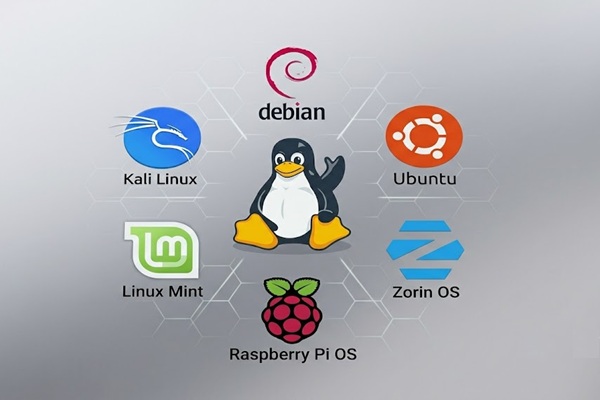
Comparing Popular Linux Distributions
One of the biggest advantages of Linux is the number of distributions available. However, this can also be confusing for someone who is just getting started. Which one should you choose?
Although most distributions share the same Linux foundation, they differ in appearance, software management, update schedules, and intended audience. Here are some of the most popular choices.
| Distribution | Best For | Strengths | Weaknesses |
|---|---|---|---|
| Linux Mint | Windows users | Familiar interface, easy to use, stable updates | Less emphasis on the newest software and technologies |
| Ubuntu | General desktop and server use | Large community, extensive documentation, broad software support | GNOME interface may take some getting used to |
| Debian | Servers and stability | Thoroughly tested software, predictable updates | Some applications and drivers may not be the newest versions |
| Fedora | Developers and enthusiasts | Modern software, newer technologies, strong development tools | More frequent upgrades and a shorter support cycle |
| Zorin OS | Windows and macOS switchers | Familiar desktop layouts, beginner friendly | Some additional features are reserved for the paid edition |
| Pop!_OS | Developers and productivity users | COSMIC desktop, graphics hardware options, development environment | Different desktop experience for traditional Windows users |
| Bazzite | PC and handheld gaming | Gaming-focused configuration, Steam integration | Specialized system with additional hardware considerations |
My recommendation: If you are new to Linux and coming from Windows, start with Linux Mint. If you want a distribution with extensive documentation and a large support community, consider Ubuntu. For servers, Debian remains an excellent choice.
Mint - Reviewed on this website

Linux Mint
is an excellent choice for people who are familiar with Windows. Its Cinnamon desktop
provides a familiar layout with a start menu, taskbar, and system tray. If you know how to
use the Windows desktop, you should feel comfortable using Linux Mint.
Mint is suitable for everyday computing, office work, web browsing, programming, and
multimedia applications. It can also run many games through Steam and Proton, although
compatibility varies by game.
It is my personal favorite Linux distribution and the one I have the most experience with.
Please see my review of Linux Mint elsewhere on this website.
Debian - Reviewed on this website

Debian
is known for its stability, reliability, and thoroughly tested software packages. It is
widely used for servers, workstations, and other systems where predictable operation is
important.
One trade-off is that the stable release generally includes older software versions than
distributions such as Fedora. This is intentional and helps Debian maintain its reputation
for reliability.
Debian can also be used as a desktop operating system and can run games, although gaming is
not its primary focus.
I have a large amount of respect for Debian, but I found the desktop experience a little
plain compared with Linux Mint.
Kali - Reviewed on this website

Kali Linux
is designed for professional penetration testing, security auditing, digital forensics, and
authorized security research.
It comes with a large collection of specialized security tools used to examine networks,
test applications, analyze website security, and identify potential vulnerabilities.
Kali is not generally recommended as someone's first desktop Linux distribution. Although
the operating system itself works much like other Linux distributions, users need to
understand networking, security concepts, and the tools included with the system.
I installed Kali in a virtual machine to explore it. It is an interesting distribution, but
learning how to use its security tools takes considerable time.
Bazzite
Bazzite is a Linux distribution designed primarily for PC gaming and
handheld gaming devices. It is based on Fedora and provides a gaming-focused experience with
Steam integration and support for many Windows games through Proton.
Bazzite uses an image-based, atomic update approach. This helps protect the core operating
system from accidental changes and can make system updates and recovery more
predictable.
Dedicated images are available for different hardware configurations, including NVIDIA
graphics cards. However, hardware compatibility and game support still depend on the
specific computer and applications.
Bazzite is designed to provide an experience similar to a gaming console, but it can also be
used on traditional desktop computers.
I have installed this distribution for clients, but I haven't had enough experience with it
to provide a detailed personal review.
Pop! OS
Pop!_OS is developed by System76 and is designed for general desktop use,
software development, and productivity. It has traditionally been popular with developers
and users who work with graphics-intensive applications.
One of its advantages is the availability of installation images with NVIDIA graphics
drivers, making setup easier on supported NVIDIA hardware.
Pop!_OS has introduced its own COSMIC desktop environment, which provides a modern interface
with features designed to improve window management and productivity.
I haven't had much hands-on experience with this distribution. I attempted to install it in
a virtual machine but encountered problems, so I would like to revisit it on dedicated
hardware.
Steam OS
SteamOS is a Linux-based operating system developed by Valve and designed
primarily for gaming. It comes preinstalled on the Steam Deck handheld gaming device and
provides a console-like interface for accessing and playing games.
SteamOS uses Proton to allow many Windows games to run on Linux. However, not every game is
compatible, particularly titles that rely on unsupported anti-cheat systems.
Valve's current SteamOS 3 platform is primarily designed for Steam Deck hardware. It should
not be confused with a general-purpose Linux distribution that can easily be installed on
every PC.
But Wait! There's more!
The list of distros goes on and on! Each version of Linux is tailored to a specific use case
or audience. In reality, there are hundreds. Some of them have a very small user base and
are very obscure. Many Linux distro projects have been abandoned and are considered dead.
This is a list of some of the more well-known and active distros.
- Ubuntu - Reviewed on this website
- Raspberry Pi OS - Reviewed on this website
- Zorin OS - Designed for desktop users transitioning from Windows or macOS
- Kubuntu - Ubuntu with the KDE Plasma desktop
- Fedora - A modern distribution with relatively recent software
- ZimaOS - Designed for home servers and network-attached storage
Wrap Up
Linux isn't for everyone, and I'm certainly not suggesting that everyone should abandon Windows. However, after experimenting with several distributions, I think Linux deserves serious consideration. If you have an older computer, want more control over your operating system, or simply want to try something different, Linux is worth exploring. You might be surprised by what it can do.
Frequently Asked Questions About Linux
What is Linux?
Linux is a free and open-source operating system based on the Linux kernel. It can be used
on desktop computers, laptops, servers, and many other devices.
Can Linux replace Windows?
For many users, yes. Linux can handle web browsing, email, office work, media playback,
programming, and many other everyday tasks. However, some Windows-specific software may not
be available.
Is Linux really free?
Most Linux distributions are free to download, install, and use. Many also include free
open-source software such as web browsers, office suites, and multimedia applications.
Which Linux distribution is best for beginners?
Linux Mint is an excellent starting point for beginners, particularly those coming from
Windows. Ubuntu and Zorin OS are also popular choices.
Can Linux run Windows programs?
Some Windows programs can run using compatibility tools such as Wine. Steam also uses Proton
to run many Windows games. However, compatibility varies, and some applications still
require Windows.
Can I use Microsoft Office on Linux?
The desktop versions of Microsoft Office are not officially supported on Linux. Alternatives
include LibreOffice, Google Docs, and the web versions of Microsoft 365.
Can I use Adobe Photoshop on Linux?
Adobe does not officially support its desktop Photoshop application on Linux. Alternatives
include GIMP, Krita, and Darktable, depending on your editing needs.
Is Linux good for gaming?
Linux gaming has improved significantly. Steam, Proton, Bazzite, and other tools allow many
Windows games to run on Linux. However, not every game is compatible.
Can Linux run on older computers?
Yes. Many Linux distributions can run on older hardware and may provide better performance
than a newer version of Windows. Actual performance depends on the hardware and distribution
selected.
Do I need to know how to use the Linux command line?
No. Modern distributions such as Linux Mint and Ubuntu provide graphical tools for most
everyday tasks. However, learning some basic command-line operations can be helpful when
troubleshooting or administering a system.
Amazon Links - These are products we recommend
Meyer Computer is an Amazon Affiliate. We may earn a small commission from qualifying purchases made through the links below.Thank you for supporting us!
- Logitech G305 Lightspeed Wireless Gaming Mouse - White
- Logitech G305 Lightspeed Wireless Gaming Mouse - Blue
- Logitech G305 Lightspeed Wireless Gaming Mouse - Black
- be quiet! Dark Perk Sym PC Gaming Mouse, 55g Lightweight, 32,000 DPI - Symmetrical
- be quiet! Dark Perk Sym PC Gaming Mouse, 55g Lightweight, 32,000 DPI - Ergonomic
- Keychron K10 Full Size 104 Keys Bluetooth Wireless Mechanical Gaming Keyboard
- NZXT Function - Full Size Mechanical Keyboard - Black
- Keychron K10 Max QMK Wireless Custom Mechanical Full-Size Keyboard
- PNY 32GB Attaché X USB 3.2 Gen 1 Flash Drive 5-Pack
- SANDISK 32GB 3-Pack Ultra USB 3.0 Flash Drive
- SANDISK 64GB 2-Pack Ultra USB 3.0 Flash Drive
- SANDISK 128GB Ultra, USB-A Flash Drive