
|
|
||||||||||
Troubleshooting Internet Connectivity Issues
Check these things first!
Keywords:
internet, equipment, failure, router, ethernet
Key Takeaway:
These is a lists of some things you can check
if your Internet is down.
Category Insights:
INTERNET — This article contains internet related content.
Be Methodical
This is a list of common things you can check if your internet connection is down. Due to
the nearly infinite number of hardware and software configurations, it’s impossible to cover
every possible scenario. However, a structured approach can save time and
frustration.
A good rule of thumb is to start with your modem and then methodically work your way toward
your computer or device. In many cases, the issue will be something simple that gets
overlooked. Every item listed below represents a real-world problem that has been
encountered at one time or another.
Local Premises Issues
Problems within your home or business network are among the most common causes of internet
outages.
- Power Surges
Electrical surges can damage networking equipment or cause temporary malfunctions. Using a UPS (Uninterruptible Power Supply) is strongly recommended for modems, routers, and computers. - Modem Issues
This includes incorrect settings, firmware problems, or outright hardware failure. Many modems have diagnostic logs that can provide insight into connection problems. - Router Issues
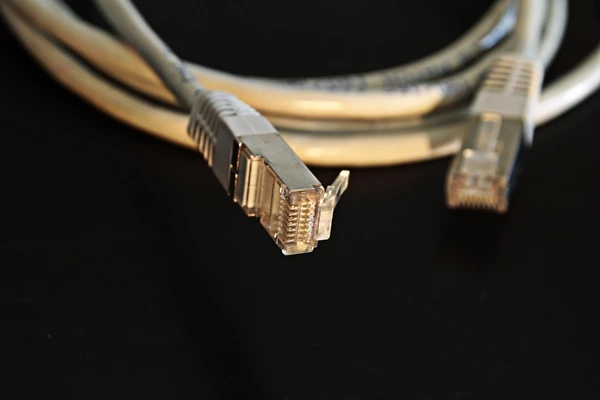
Misconfigured settings, overheating, or hardware failure can disrupt connectivity. Like modems, many routers include logs that may help identify the problem. - Faulty Ethernet Cables
Poor-quality or homemade cables are especially prone to failure. Always test with a known-good cable when troubleshooting. - Network Switch Problems
A failing switch or a bad port can interrupt communication. Try different ports or temporarily bypass the switch. - Network Interface Card (NIC) Issues
This can include incorrect settings, driver issues, or hardware failure. In desktop systems, ensure the card is properly seated in the PCI slot. - Loose Connections
A partially unplugged cable can cause intermittent or complete loss of connectivity. Disconnect and firmly reconnect all cables. - Damaged Ethernet Ports
Ports on computers, switches, routers, or modems can fail. Test with alternate ports whenever possible. - Pinched or Damaged Cables
Physical damage to cables can degrade or block signals. Use a cable tester to verify integrity. - Electrical Interference
Ethernet cables running alongside power lines, fluorescent lights, or heavy equipment may experience interference. - Failing Power Adapters
AC adapters can weaken over time and fail to deliver sufficient power, causing unstable device behavior.
DNS Issues
Domain Name System (DNS) problems can make it appear that your internet is down when it’s actually a name resolution issue.
- Incorrect DNS Settings on the Computer
Misconfigured network settings can prevent access to websites. - Router DNS Misconfiguration
If the router is handing out incorrect DNS information via DHCP, all connected devices may be affected. - DNS Server Outage
The DNS server itself may be temporarily unavailable.
For most home users, DNS settings are automatically assigned by the router
through DHCP. In business environments, computers are typically configured to use an
internal DNS server managed by a network administrator.
As a troubleshooting step, you can try switching to a public DNS service to rule out
DNS-related issues.
| Reference |
|---|
| #0039 Internet Speed Up Your Internet With an Alternative DNS Server |
Internet Service Provider Issues
Some problems originate outside your network and are beyond your control. In
these cases, contacting your ISP is usually the only option.
Common ISP-related issues include:
- Equipment Failure
Problems with infrastructure such as neighborhood nodes or central office equipment. - Line Failure
Damaged cables, whether underground or aerial, can interrupt service. - Signal Issues (Cable Internet)
Signals that are too weak or too strong (“hot”) can cause instability. - Fiber Problems
Misaligned or damaged fiber splices can severely impact performance or cause outages.
Remember: It's not uncommon for the ISP to have problems, especially if they are
working in your area.
Keep in mind that ISP outages are not uncommon, especially during maintenance or
infrastructure upgrades in your area.
Monitoring and Documentation
If you experience intermittent connectivity issues, consider using a monitoring tool such as
Net Uptime Monitor (NUM). This type of software
logs outages over time and can generate reports.
Having documented proof of downtime can be extremely helpful when dealing with your
ISP—particularly if they claim there is no issue or are unable to reproduce the problem
during a service visit.
By working through these steps in a logical order, you can often identify and resolve
internet issues without unnecessary frustration. Even if the problem ultimately lies with
your ISP, eliminating local causes first will make troubleshooting much more
efficient.
Amazon Links - These are products we recommend
Meyer Computer is an Amazon Affiliate. We may earn a small commission from qualifying
purchases made through the links below.
Thank you for supporting us!