
|
|
||||||||||
Computer Security Terms Defined
Learn the lingo!
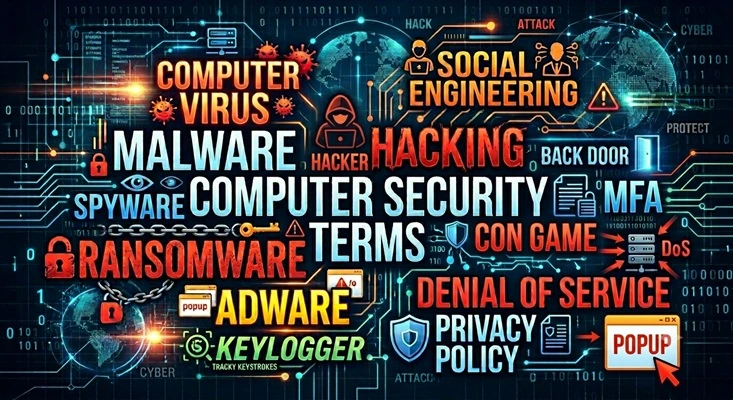
Keywords:
cybersecurity, computer security, malware, phishing, ransomware, hackers
Key Takeaway:
Understand common computer security terminology,
recognize different types of malware, and learn the
language used to describe today's cybersecurity threats.
This is a beginner-friendly glossary of commonly used
terms, not a complete technical dictionary.
Category Insights:
SECURITY — Understanding common security terminology is an important
first step toward recognizing computer threats and protecting your
personal information.
Table of Contents
- Computer Virus
- Spyware
- Keylogger
- Ransomware
- Adware
- Malvertising
- Malware
- Trojan Horse
- Computer Worms
- Browser Hijackers
- Root and Rootkits
- Cryptojacking
- Account Cloning
- Encryption
- SSL / TLS
- Hacking and Hackers
- White Hat, Black Hat and Gray Hat Hackers
- PenTest / Penetration Tester
- Script Kiddie
- Social Engineering
- Phishing and Spoofing
- Credit Card Skimmer
- Privacy Policy
- Back Door
- Honeypot
- Bot and Botnet
- DoS and DDoS Attacks
- Brute Force Attack
- Vulnerability and Exploit
- Remote Code Execution (RCE)
- Zero-Day Vulnerability
- Firewall
- MFA and 2FA
- VPN
- Data Breach
Introduction
Computer security has its own vocabulary, and some of the terminology can be confusing if
you are not familiar with it. People often use the word virus to describe almost any type of
computer infection, but viruses are only one type of malware.
This glossary explains common computer security terms in plain English. Whether you are
using a home computer, running a business, or simply browsing the internet, understanding
these terms can help you recognize potential threats and better understand today's
cybersecurity discussions.
There are hundreds of additional cybersecurity terms and acronyms covering specialized areas
such as network security, authentication, encryption, and data protection. This is not
intended to be a complete technical dictionary. Instead, it focuses on terms you are more
likely to encounter in news reports, security discussions, and everyday
conversations.
Computer Virus
A computer virus is a type of malicious software that attaches itself to another program or
file. When the infected program runs, the virus can activate, make copies of itself, and
spread to other files or computers.
Viruses can have different effects. Some are designed to cause damage, while others may
steal information, change system settings, or interfere with normal computer operations.
Unlike some other types of malware, a traditional virus usually requires an infected file or
program to be executed before it can spread.
Example: Early computer viruses sometimes performed harmless pranks,
such as turning the screen upside down or displaying unusual graphics.
Example: A destructive virus could delete files or damage information
stored on a computer.
Example: A virus could infect Microsoft Word documents and modify their
contents when the documents were opened.
Spyware
Spyware is software that secretly monitors a person's computer activity and collects
information without their knowledge or permission. The information may include browsing
history, login credentials, personal information, and other sensitive data.
Spyware often operates quietly in the background, making it difficult for the user to
realize that information is being collected. Some spyware is installed through malicious
downloads, fake software, or security vulnerabilities.
Keylogger
A keylogger is a type of monitoring software or hardware that records the keys pressed on a
computer keyboard. Criminals may use keyloggers to capture usernames, passwords, credit card
numbers, and other sensitive information.
Keyloggers can operate without displaying anything on the screen, making them difficult for
an unsuspecting user to notice.
Example: A keylogger records the keystrokes used when someone enters
their online banking password. That information may then be transmitted to the person
who installed the keylogger.
Ransomware
Ransomware is a type of malicious software designed to prevent users from accessing their
files or computer systems. It commonly encrypts files and demands payment in exchange for a
decryption key. Criminals typically demand payment using cryptocurrency.
Some ransomware groups also steal private information before encrypting files. They may
threaten to publish the stolen information if the victim refuses to pay.
Paying a ransom does not guarantee that the files will be restored or that stolen
information will remain private. Ransomware is one of the most damaging types of computer
attacks, particularly for businesses.
Example: Ransomware can attack a hospital and encrypt its medical
records, billing information, and other important files. Employees may be unable to
access critical information until the systems are restored.
Adware
Adware is software that automatically displays advertisements on a computer or mobile
device. Some adware is legitimate and supports free software through advertising. Other
forms are unwanted and may display excessive pop-ups, redirect web browsers, or collect
information about the user's browsing habits.
Malicious adware may also display fake security warnings or advertisements designed to trick
people into purchasing unnecessary software or contacting scammers.
Malvertising
Malvertising is short for malicious advertising. It involves criminals using online
advertisements to distribute malware, redirect visitors to dangerous websites, or trick
people into downloading unwanted software.
These advertisements can sometimes appear on legitimate websites because online advertising
networks distribute advertisements from many different sources.
A visitor does not necessarily have to click the advertisement to be at risk. Some malicious
advertisements have been used to exploit security weaknesses in browsers or other software.
Example: You visit a legitimate news website and see an advertisement
claiming your computer is infected. Clicking the advertisement takes you to a fake
security website that tries to convince you to download harmful software.
Malware
Malware is short for malicious software. It is a general term used to describe software
intentionally designed to damage, disrupt, spy on, or gain unauthorized access to a computer
system.
Malware includes many different types of threats, including viruses, spyware, ransomware,
worms, and Trojan horses. Not all malware behaves the same way. Some programs steal
information, while others damage files or allow someone else to control the computer.
Example: A fake antivirus program that looks legitimate but actually
installs harmful software.
Example: A computer game that functions normally but secretly collects
personal information in the background.
Example: A fake browser toolbar advertised as a shopping assistant that
actually redirects searches or collects browsing information.
Trojan Horse
A Trojan Horse, often called a Trojan, is a type of malware that disguises itself as
legitimate or useful software. It tricks someone into installing or running it because it
appears to be something harmless.
Unlike a traditional virus, a Trojan does not normally replicate itself. Instead, it may
steal information, install additional malware, or give someone else unauthorized access to
the computer.
Example: A person downloads what appears to be a free computer utility.
The program works as advertised, but it also secretly installs software that allows a
criminal to access the computer remotely.
Computer Worm
A computer worm is a type of malware that can independently copy itself and spread from one
computer to another, often through a network.
Unlike a traditional virus, a worm does not need to attach itself to another program or file
to spread. Some worms can move between computers without requiring the user to open an
infected attachment or run a program.
Worms can consume network resources, disrupt computer operations, and sometimes install
additional malware.
Example: A worm infects one computer on a business network and then
spreads to other vulnerable computers connected to the same network.
Browser Hijacker
A browser hijacker is unwanted software that changes the settings of a web browser without
the user's permission or makes changes that are difficult to reverse.
It may change your homepage, replace your default search engine, install unwanted browser
extensions, or redirect you to unfamiliar websites.
Some browser hijackers are relatively harmless but annoying. Others collect browsing
information or direct users to potentially dangerous websites.
Example: You open your web browser and discover that your homepage and
search engine have changed. Every search now redirects through an unfamiliar website.
Root / Rootkit
Root is the name of the administrator account on Linux and Unix-based operating systems. It
has the highest level of system privileges and can make changes that ordinary user accounts
cannot.
A rootkit is something entirely different. It is a type of malicious software designed to
hide its presence and maintain unauthorized access to a computer. Rootkits can conceal
files, processes, or other malicious activity, making them particularly difficult to detect
and remove.
Example: A rootkit may hide a malicious program so that it does not
appear in normal system monitoring tools. The computer may appear to be operating
normally even though someone else has unauthorized access.
Cryptojacking
Cryptojacking is the unauthorized use of someone else's computer, cellphone, or other device
to mine cryptocurrency.
Cryptocurrency mining requires computing power. Criminals may secretly install software on
other people's devices so they can use those resources without paying for the electricity or
equipment themselves.
Cryptojacking can cause computers to run slowly, use excessive amounts of electricity, and
generate additional heat.
Example: A computer suddenly runs its processor at nearly 100 percent
utilization even though the user is not running anything demanding. A hidden program may
be using the computer's resources to mine cryptocurrency.
Account Cloning
Account cloning typically happens on social media. A scammer creates a new account using
someone else's name, profile picture, and sometimes other publicly available
information.
The scammer then sends friend requests to people who know the person being impersonated.
Once accepted, the scammer may send messages asking for money, personal information, or help
purchasing something.
The original account may be completely legitimate and secure. The scammer is simply
pretending to be that person using a separate, fake account. This is different from hacking
someone's actual social media account.
Example: I once had a scammer contact me from a cloned account of a
person I knew for a fact was deceased. I reported the fake account to
Facebook.
Encryption
Encryption is the process of converting readable information into a scrambled format that
cannot easily be understood by unauthorized people.
The information can only be returned to its original, readable form using the correct
decryption key. Encryption is commonly used to protect files stored on computers, online
banking transactions, private messages, and other sensitive information.
Microsoft BitLocker is an example of software that uses encryption to protect information
stored on a computer's drive. Websites using HTTPS also use encryption to protect
information being transmitted between your browser and the website.
| Reference |
|---|
| #0059 Security BitLocker: Is it a Feature or Your Worst Nightmare? |
SSL / TLS
SSL stands for Secure Sockets Layer. It is an older technology originally developed to
encrypt information traveling between a computer and a website.
TLS stands for Transport Layer Security. It is the newer and more secure replacement for
SSL. Modern websites use TLS to protect information such as passwords, payment information,
and other sensitive data.
You may still hear people refer to SSL certificates or SSL encryption, but modern systems
actually use TLS. SSL itself is obsolete and should no longer be used.
One way to recognize an encrypted website connection is the HTTPS at the beginning of its
web address. HTTPS uses TLS to help protect information being exchanged between your browser
and the website.
Example: When you log into your bank's website using HTTPS, TLS helps
protect your username, password, and financial information while it travels across the
internet.
Hacked, Hacking
Hacking is the process of finding and using weaknesses in a computer, network, or software
system. The term can describe both legitimate security testing and unauthorized
activity.
In everyday conversation, being hacked usually means that someone gained unauthorized access
to a computer, email account, website, or other system.
Despite what you see in movies and television, computer attacks do not always involve
someone sitting at a keyboard trying to break into a system. Many attacks rely on stolen
passwords, fake emails, malicious software, or tricking someone into providing access.
White Hat, Black Hat and Gray Hat Hackers
The terms White Hat, Black Hat, and Gray Hat describe different types of hackers based
primarily on their intentions and whether they have permission to access a computer
system.
Where did the colors come from?
Back in the days of old Western movies, the good guys often wore white cowboy hats and the
bad guys wore black hats. This made it easy for the audience to recognize who was who, even
without knowing the characters. The cybersecurity industry borrowed this familiar idea to
distinguish between different types of hackers.
White Hat Hacker: A security professional who tests computers, networks,
and software with permission to identify security weaknesses. Their goal is to improve
security and prevent attacks.
Black Hat Hacker: Someone who gains unauthorized access to computer systems
for malicious purposes. This may include stealing information, installing malware, causing
damage, or committing fraud.
Gray Hat Hacker: Someone who may look for security weaknesses without
permission but does not necessarily intend to cause harm. Even if their intentions are good,
accessing a system without permission can still be illegal.
Example: A company hires a White Hat Hacker to test its network. A
Black Hat Hacker attempts to break into the same network to steal customer information.
A Gray Hat Hacker discovers a weakness without being authorized to test the system.
PenTest / Penetration Tester
PenTest is short for Penetration Test. It is an authorized security test in which someone
attempts to find weaknesses in a computer system, network, or application.
A Penetration Tester is the person who performs these tests. They use techniques similar to
those used by criminals to discover security problems before someone with malicious
intentions finds them.
Penetration testing is commonly performed for businesses, government agencies, and
organizations that need to evaluate their computer security. The testing must be authorized
by the owner of the systems being examined.
Example: A business hires a security professional to test its network.
The tester discovers that an outdated server has a security weakness that could allow
unauthorized access. The business can then correct the problem before criminals exploit
it.
Script Kiddie
A Script Kiddie is an inexperienced person who uses existing hacking programs, scripts, or
tools created by someone else to attack computers or networks.
They generally have little understanding of how the tools actually work and rely on
instructions or software they find online.
Although they may lack advanced technical skills, their actions can still cause serious
problems for their victims.
Example: Someone downloads a program advertised as a hacking tool and
uses it to attack a website without understanding what the program is doing.
Phishing / Spear Phishing / Spoofing
Phishing: A type of scam where criminals send fake emails, text messages,
or other communications designed to trick someone into revealing personal information,
passwords, or financial details. The messages often pretend to come from a legitimate
company or organization.
Spear Phishing: A more targeted form of phishing aimed at a specific person
or organization. The criminal may use the victim's name, employer, coworkers, or other
personal information to make the message appear more believable.
Spoofing: Making something appear to come from a trusted source when it
actually comes from someone else. Criminals may spoof email addresses, telephone numbers,
websites, or other identifying information.
Example: You receive an email that appears to come from your bank. It
claims there is a problem with your account and asks you to click a link and enter your
password. The email and website are fake and are designed to steal your login
information.
Credit Card Skimmer
A skimmer is a small electronic device designed to secretly capture information from a
credit or debit card when it is used at a payment terminal.
Traditional skimmers capture information from the card's magnetic stripe. Criminals install
these devices on or inside gas pumps, ATMs, and other card readers. Some skimmers are
designed to look like part of the original machine, making them difficult to
notice.
Criminals may also use hidden cameras or fake keypads to record PIN numbers as customers
enter them. Newer devices called shimmers are designed to fit inside
chip-card readers and intercept information when a chip card is inserted. However, capturing
chip information does not necessarily allow criminals to create a working duplicate of the
original chip card.
The stolen information can be used to make counterfeit magnetic-stripe cards, conduct
unauthorized transactions, or commit other types of financial fraud.
Example: A criminal installs a small device inside a gas pump card
reader. When customers swipe their cards to pay for gasoline, the device secretly
records their card information. A hidden camera may also record their PIN numbers.
Customers may not realize anything happened until fraudulent transactions appear on
their accounts.
Privacy Policy
A privacy policy is a document that explains how a company or service collects, uses,
stores, and shares personal information.
Privacy policies are commonly presented when installing software, signing up for an online
service, or using a mobile application. They explain what information the company may
collect and how that information may be used.
Many people simply click Accept without reading the policy. However, it is important to
understand that a privacy policy does not necessarily tell you everything about the
permissions an application requests on your device.
App permissions control what an application is allowed to access, such as your camera,
microphone, contacts, location, or stored files.
Example: A flashlight application that requests access to your
contacts, microphone, and location should raise questions about why those permissions
are necessary.
Back Door
A backdoor is a hidden method of accessing a computer, application, or network while
bypassing normal security controls.
A backdoor may be intentionally built into software or hardware, or it may be secretly
installed by malware or someone who has gained unauthorized access.
The danger is that someone may be able to access a system without following its normal login
or authentication procedures. This can allow access to information or control of the system
without the owner's knowledge.
Example: Malware may install a backdoor that allows a criminal to
remotely access an infected computer whenever they want.
Example: A manufacturer could unintentionally leave a hidden
administrative account in a device. If that account becomes known to criminals, other
devices using the same credentials may also be at risk.
Honeypot
A honeypot is a computer system, application, or network resource intentionally set up to
attract hackers and observe their activities.
It is designed to look like a legitimate target while being isolated and monitored by
security professionals. The purpose is to learn how attackers operate, identify new threats,
and improve security.
Unlike a normal computer system, a honeypot is not intended for everyday use. It is
essentially a trap designed to attract unwanted attention.
Example: A security company sets up a fake server that appears to
contain valuable information. When someone attempts to break into it, the company can
monitor the activity and learn about the attacker's methods.
Bot / Botnet
A bot is a software program that performs automated tasks. Bots are not necessarily
malicious. Many legitimate services use bots for things like search engine indexing and
automated customer support.
In computer security, a bot often refers to an infected computer or device that can be
controlled remotely by a criminal without the owner's knowledge.
A botnet is a collection of these compromised devices controlled by a person or group. The
criminals can use the combined computing power of thousands of infected devices to carry out
attacks, distribute spam, or perform other malicious activities.
Example: A criminal controls thousands of infected computers and uses
them to send enormous quantities of unwanted email. The owners of those computers may
not even realize their devices are involved.
DoS / DDoS Attack
DoS stands for Denial of Service. It is an attack intended to make a website, computer,
network, or online service unavailable to legitimate users.
This is usually accomplished by overwhelming the target with excessive requests or other
traffic until it cannot keep up with the workload.
DDoS stands for Distributed Denial of Service. The difference is that a DDoS attack uses
multiple computers or devices, often part of a botnet, to overwhelm the target from many
different sources.
Example: A website receives so many requests from an attacking botnet
that legitimate visitors can no longer access it.
Example: An online banking service becomes unavailable because it is
overwhelmed by malicious traffic.
Brute Force Attack
A brute force attack is a method of trying to guess a password by repeatedly attempting
different combinations until the correct one is found.
Criminals may use automated software to attempt thousands or even millions of combinations.
These attacks are often directed at online accounts, websites, and computer
systems.
Example: A criminal uses an automated program to repeatedly attempt
different passwords against an email account until the correct password is discovered.
Vulnerability / Exploit
Vulnerability: A weakness in computer software, hardware, or a security
configuration that could allow someone to gain unauthorized access, damage a system, or
steal information.
Vulnerabilities can exist in operating systems, applications, network equipment, and even
the way a computer system is configured.
Exploit: A method or piece of software that takes advantage of a
vulnerability. Criminals use exploits to gain access to systems or perform unauthorized
actions.
Example: A software company discovers a security weakness in its
program and releases an update to correct it. Until the update is installed, criminals
may be able to exploit that weakness.
Remote Code Execution (RCE)
RCE stands for Remote Code Execution. It describes a security vulnerability that allows
someone to run commands or programs on another computer from a remote location.
This can be particularly dangerous because the attacker may be able to control parts of the
affected system without having physical access to the computer.
Depending on the vulnerability and the access available, an attacker may be able to install
malware, steal information, or take control of the affected system.
Example: A criminal discovers a weakness in a company's internet-facing
server. They use that weakness to remotely run malicious software on the server without
anyone physically accessing the equipment.
Zero-Day Vulnerability
A zero-day vulnerability is a security weakness that is unknown to the software manufacturer
or has not yet been corrected with an available security update.
The term zero-day refers to the fact that the manufacturer has had zero days to prepare a
fix after learning about the vulnerability.
Criminals may take advantage of these weaknesses before a security update becomes available.
This can make zero-day attacks particularly difficult to prevent.
Example: A criminal discovers a previously unknown weakness in a
popular web browser and uses it to attack computers before the browser manufacturer has
released a security update.
Firewall
A firewall is a security system that monitors and controls network traffic entering or
leaving a computer or network.
It uses a set of rules to determine which connections are allowed and which should be
blocked. Firewalls can be software installed on an individual computer or hardware devices
that protect an entire network.
A firewall is an important part of computer security, but it does not protect against every
type of attack.
Example: A business firewall may block unauthorized internet
connections attempting to reach computers inside the company's network.
MFA / 2FA
MFA stands for Multi-Factor Authentication. It is an additional security measure that
requires users to provide more than one form of verification when logging into an account.
2FA stands for Two-Factor Authentication. It is a type of MFA that uses exactly two
verification methods.
These methods may include something you know, such as a password; something you have, such
as a cellphone or security key; or something you are, such as a fingerprint.
MFA makes it more difficult for someone to access an account even if they have managed to
obtain the password.
Example: You enter your password when logging into your email. The
service then asks you to approve the login using an authentication application on your
cellphone.
VPN (Virtual Private Network)
VPN stands for Virtual Private Network. A VPN creates an encrypted connection between your
device and a VPN server.
This helps protect information traveling across the connection, particularly when using
public Wi-Fi networks. A VPN can also change the apparent internet location of your
connection because websites may see the VPN server's IP address instead of your original
address.
A VPN does not make someone completely anonymous or protect against every type of computer
threat. You still need to use good security practices.
Example: An employee working from home uses a company VPN to securely
connect to the business network.
Data Breach
A data breach occurs when private, confidential, or sensitive information is accessed,
exposed, or stolen by someone who is not authorized to have it.
Data breaches can affect individuals, small businesses, large corporations, hospitals, and
government agencies.
The stolen information may include names, addresses, Social Security numbers, passwords,
financial records, and other personal information.
A data breach does not always mean that someone directly hacked a computer. Information can
also be exposed through stolen credentials, mistakes, improperly configured systems, or
other security failures.
Example: A company discovers that criminals gained access to its
customer database and downloaded thousands of names, email addresses, and passwords.
Amazon Links - These are products we recommend
Meyer Computer is an Amazon Affiliate. We may earn a small commission from qualifying purchases made through the links below.Thank you for supporting us!
- Malwarebytes Standard, Premium Security| 18 Months, 2 Devices | PC/Mac
- Malwarebytes Standard, Premium Security | 1 Year, 5 Devices | PC/Mac
- Malwarebytes Standard, Premium Security | 1 Year, 10 Devices | PC/Mac
- Bitdefender Total Security - 3 Devices | 1 year Subscription | PC/Mac
- Bitdefender Total Security - 5 Devices | 1 year Subscription | PC/Mac
- Bitdefender Total Security - 10 Devices | 1 year Subscription | PC/Mac
Social Engineering
Social engineering is a type of attack that uses manipulation and deception to trick someone into revealing sensitive information or performing an action that compromises security.
It is basically an old-fashioned con game using modern technology. A scammer may pretend to be a bank employee, computer technician, government official, or someone the victim knows.
They may ask for passwords, account information, gift cards, cryptocurrency, or remote access to a computer. The goal is to gain money, information, or access without having to break through the computer's security.
Comment: Social engineering is one of the most common ways criminals gain access to accounts and computer systems because it exploits human trust rather than relying solely on technical weaknesses.