
|
|
||||||||||
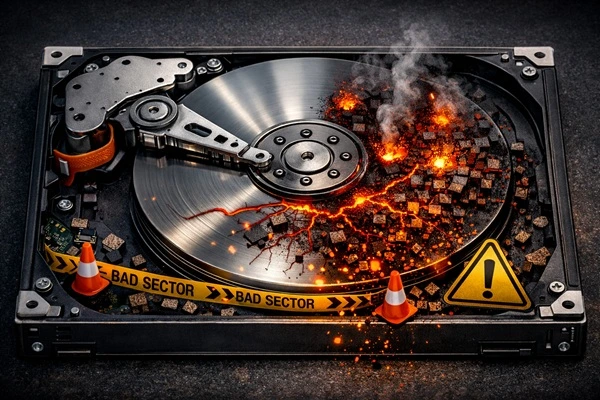
Hard Drive Bad Sectors: Causes, Symptoms & Fixes
Keywords:
hard drive, bad sectors, HDD, SSD, data loss, storage health
Key Takeaway:
Bad sectors are damaged or unreliable areas of a storage device that can prevent
data from being read or written correctly. They can lead to corrupted files,
computer crashes, and eventually storage failure.
Category Insights:
HARDDRIVES — Understanding storage problems, recognizing warning signs, and
maintaining reliable backups can help protect your data.
Table of Contents
The Issue
Hard drives and solid-state drives (SSDs) are essential components of any computer,
responsible for storing the operating system, applications, and personal files. However,
over time, storage devices can develop damaged or unreliable areas commonly referred to as
bad sectors. These problems can cause files to become corrupted or inaccessible, lead to
computer crashes, and affect overall system performance.
Although traditional hard drives and SSDs store information differently, both can experience
storage problems that put your data at risk.
What is a Bad Sector?
A bad sector is a small portion of a storage device that can no longer reliably store or
retrieve information. When this happens, data stored in that area may become corrupted,
unreadable, or inaccessible.
On traditional hard drives (HDDs), sectors are located on magnetic platters that store your
information. Damage to the platter or problems reading the stored data can cause sectors to
become unusable.
SSDs work differently. They store information in electronic memory cells rather than on
spinning platters. When these memory cells or groups of cells wear out or become unreliable,
the SSD's internal controller attempts to manage the problem.
Think of a bad sector like a damaged page in a book. If that page contains important
information, you may no longer be able to read it correctly.
Types of Bad Sectors
There are two general types of bad sectors:
1. Physical (Hard) Bad Sectors:
These occur when a storage area is physically damaged or has deteriorated. On an HDD, this
could involve damage to the magnetic platter or problems with the drive's ability to read a
particular area. On an SSD, it may involve worn-out or defective memory cells. Physical
damage cannot be repaired simply by running a software utility.
2. Logical (Soft) Bad Sectors:
These occur when an area of storage appears to contain errors because of corrupted data or
file-system problems. In some cases, software utilities can correct these errors or mark the
affected areas as unusable.
It is important to understand that correcting a logical error is not the same as repairing
physically damaged storage. If a drive continues developing bad sectors, replacement may be
necessary.
Bad Sectors: HDD vs. SSD
Although the term "bad sectors" is commonly used for both types of storage, traditional hard
drives and SSDs handle these problems differently.
Traditional Hard Drives (HDDs):
HDDs use spinning magnetic platters to store information. When a sector becomes damaged or
unreliable, the drive may attempt to replace it with an available spare sector. This process
is handled internally by the drive. However, the original damaged area is not actually
repaired, and any data that cannot be read may be lost.
Solid State Drives (SSDs):
SSDs do not have spinning platters or traditional mechanical sectors. They use flash memory
cells grouped into larger storage blocks. When a memory area begins to fail, the SSD's
controller can move data and remap the affected area to spare storage. This process happens
automatically and is generally invisible to the user.
Both technologies have limits. If an HDD continues developing bad sectors or an SSD begins
reporting increasing memory errors, it may be a warning that the storage device is
approaching the end of its useful life.
Causes of Bad Sectors
Several factors can contribute to storage problems, including:
Aging and Wear: Over time, HDD components and SSD memory cells can wear
out, increasing the possibility of storage errors.
Power Failures: Unexpected shutdowns or power interruptions can interrupt
data being written to a drive, potentially causing file or file-system corruption.
Manufacturing Defects: Some storage devices may contain defective areas
from the time they are manufactured. Manufacturers account for this by using spare storage
areas and other internal management features.
Physical Damage: Dropping or jarring a traditional hard drive while it is
operating can damage its internal components or magnetic platters.
Overheating: Excessive heat can contribute to premature wear and
reliability problems in storage devices.
Software and File-System Errors: Malware, operating system problems, and
interrupted writes can corrupt files or file-system information. These problems can
sometimes resemble bad sector issues, but they do not necessarily mean the physical storage
is damaged.
How Bad Sectors Affect Your Computer
Bad sectors can cause more than just occasional computer errors. Depending on where the
damaged storage is located, the effects can range from minor problems to complete data loss.
Here are a few examples:
Corrupted or Missing Files: If a bad sector contains part of a document,
photograph, or other important file, that file may become damaged or impossible to open.
Slow Computer Performance: When a drive struggles to read information,
applications may take longer to open, files may load slowly, and the computer may appear to
freeze while trying to access data.
Windows Errors and System Crashes: If important
operating system files are stored in an area that becomes unreadable, Windows may experience
errors, unexpected restarts, or problems starting the computer.
Data Loss: In more serious situations, an increasingly unreliable drive may
stop working altogether. Without a current backup, personal documents, photographs, and
other important information could be lost.
These symptoms do not automatically mean bad sectors are the cause. Other hardware and
software problems can produce similar behavior. Proper diagnosis is important before
deciding what needs to be repaired or replaced.
Diagnostic and Repair Tools
There are several built-in and third-party utilities available for checking storage devices
and identifying potential problems. Windows includes tools such as CHKDSK, while many hard
drive and SSD manufacturers provide their own diagnostic software.
These utilities can help identify file-system errors, unreadable areas, and other warning
signs. Some can also attempt to correct certain problems. However, software cannot restore
physically damaged storage or guarantee that lost data can be recovered.
Use Caution: Running the wrong diagnostic or repair operation on a failing
drive can make an already difficult situation worse, particularly when important data has
not been backed up. Some operations can also modify file-system information or make recovery
more difficult.
If you are unfamiliar or uncomfortable with these tools, it is best to seek help from an IT
professional. If the drive contains important information and may be failing, protecting the
data should take priority over attempting repairs.
| Reference |
|---|
| #0004 Services Data Recovery Services for Failing Spinning Drives |
| #0000 Services Hard Drive & SSD Upgrades or Replacement (Storage) |
| #0000 Services Computer & Data Backup Services |
Preventing Bad Sectors
While bad sectors and storage failures cannot always be prevented, there are steps you can
take to reduce risks and protect your data:
Use a Surge Protector: Protect your computer against unexpected power
fluctuations and electrical surges.
Handle Drives with Care: Avoid dropping or bumping computers, especially
when they contain traditional mechanical hard drives.
Maintain Proper Cooling: Make sure your computer has adequate airflow and
is not operating in excessively hot conditions.
Perform Regular Backups: Keep copies of important files on another
drive or
a reliable backup service. Backups are one of the best ways to protect against
unexpected
storage failure.
Monitor Drive Health: Pay attention to warning messages, unusual noises,
slow performance, and diagnostic reports. SMART monitoring and manufacturer diagnostic tools
can help identify potential problems.
Remember that no maintenance routine can guarantee a storage device will never fail. A
reliable backup is your best protection against unexpected data loss.
| Reference |
|---|
| #0054 Beginner What is Microsoft OneDrive? |
Conclusion
Bad sectors can be an early warning sign of storage problems that may eventually lead to
corrupted files, system instability, or complete drive failure. Understanding the
differences between HDDs and SSDs, recognizing warning signs, and keeping regular backups
can help protect your information.
While some logical errors can be corrected with software, physically damaged storage cannot
simply be repaired. If your computer is showing signs of drive failure, it is important to
address the problem before more data is lost.
If you are unsure about the condition of your drive or need assistance protecting your data,
consider having it evaluated by an IT professional.
Meyer Computer offers computer repair and data recovery services to customers located in the
Sauk Valley area.
Frequently Asked Questions
What is a bad sector on a hard drive?
A bad sector is a damaged or unreliable area of storage that can no longer properly store or
retrieve information. Files stored in that area may become corrupted or inaccessible.
How do I know if my hard drive has bad sectors?
Common warning signs include slow performance, freezing, corrupted files, Windows errors,
and unusual clicking noises from traditional hard drives. Diagnostic utilities may also
report bad sectors or other storage errors. These symptoms can have other causes, so proper
diagnosis is important.
Can bad sectors be repaired?
Some logical errors can be corrected using software utilities. Physical damage cannot be
repaired. Hard drives may internally remap damaged sectors to spare areas, while SSDs can
remap failing memory blocks. Neither process guarantees that the original data can be
recovered.
What should I do if I encounter bad sectors?
Protect important files by making sure you have a reliable backup. Avoid unnecessary repair
attempts if the drive appears to be failing. Have the storage device evaluated by an IT
professional to determine whether it can be safely used or should be replaced.
What causes bad sectors to develop?
Bad sectors can develop because of aging hardware, normal wear, manufacturing defects,
physical damage, and storage component deterioration. Software and power-related problems
can also cause file-system errors that may resemble bad sector problems.
Are bad sectors a sign of hard drive failure?
They can be. A few isolated errors do not always mean a drive is about to fail, but
increasing numbers of bad sectors or other warning signs should be taken seriously.
Replacement may be necessary.
Can I check a hard drive for bad sectors?
Yes. Windows includes diagnostic and disk-checking utilities, and many storage manufacturers
offer their own testing software. However, running the wrong operation on a failing drive
can complicate data recovery. Seek professional assistance if you are unfamiliar with these
tools.
Can SSDs develop bad sectors?
Yes. SSDs can develop worn-out or defective memory cells. Their internal controllers use
spare storage areas and automatic management features to handle failing memory blocks.
Will bad sectors cause data loss?
They can. If important information is stored in an area that becomes unreadable, files may
become corrupted or inaccessible. Regular backups are essential for protecting against
unexpected data loss.
Should I replace a drive that has bad sectors?
If bad sectors are increasing, diagnostic tests report hardware problems, or the computer
shows other signs of drive failure, replacement is often the safest option. Continuing to
use a failing drive increases the risk of data loss.
Is it safe to keep using a drive with bad sectors?
It depends on the condition of the drive. A drive with growing numbers of bad sectors or
other failure warnings should not be trusted with important information. Back up your data
and have the drive evaluated before continuing to rely on it.
Amazon Links - These are products we recommend
Meyer Computer is an Amazon Affiliate. We may earn a small commission from qualifying purchases made through the links below.Thank you for supporting us!